Stage 5 tasks
Work through the steps in order. If something breaks, compare your blocks to the video.
Video 1 — Time 16:31Open at 16:31 ↗
How to use the videos (do this every stage):
You cannot watch the whole video and remember every step. Instead: watch ~30 seconds, pause, then build that section in Scratch. Repeat.
- Split your screen so you can see Scratch and the video at the same time.
- Windows: open Scratch and the worksheet/video, then press Windows key + Left Arrow to snap one app to the left. Click the other window to fill the right.
- If you want Scratch bigger: drag the divider so Scratch takes about 2/3 of the screen and the video takes 1/3.
Create the enemy sprite
- Choose a Sprite → Paint
- Draw a simple enemy.
- Rename it to Buddy (or Baddy) and be consistent.
Code the chase
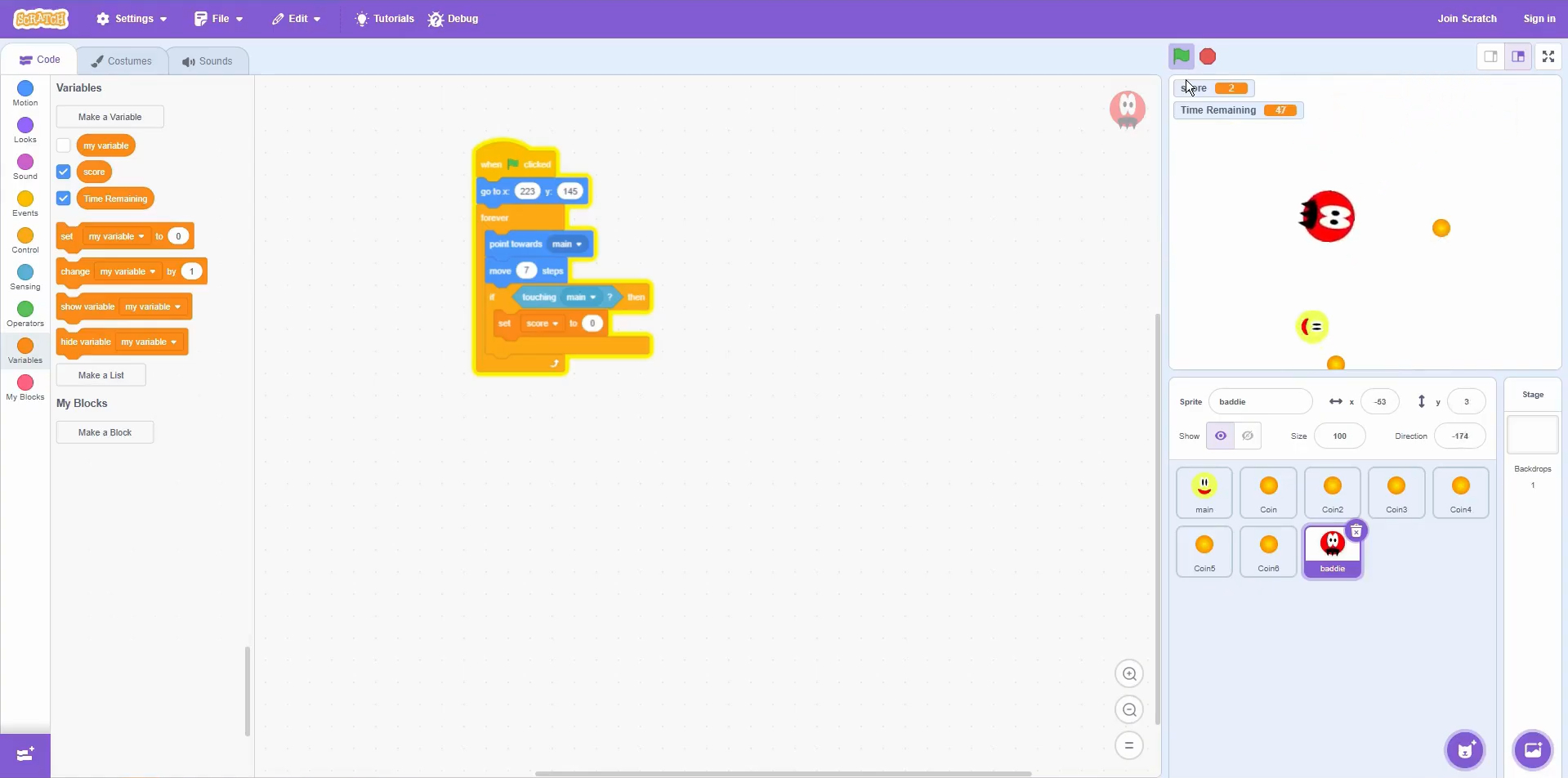
- On Buddy: when green flag clicked
- Set starting position with go to x:y
- Forever: point towards Main → move 7 steps
- If touching Main then set score to 0
Quick check (it works if…)
- Buddy follows Main around the screen.
- If Buddy touches Main, score resets to 0.
Extension:
- Duplicate Buddy and change its speed (e.g., move 4, move 9).
- Try glide instead of move for a different feel.
Scratch tips for this stage:
- Enemy not chasing? Check it uses point towards [Main] not ‘point in direction’.
- Change the enemy speed by adjusting the move value (e.g., 4 slow / 9 fast).
- Keep enemy names consistent — scripts that reference Main/Buddy rely on exact names.