Stage 4 tasks
Work through the steps in order. If something breaks, compare your blocks to the video.
Video 1 — Time 11:22Open at 11:22 ↗
How to use the videos (do this every stage):
You cannot watch the whole video and remember every step. Instead: watch ~30 seconds, pause, then build that section in Scratch. Repeat.
- Split your screen so you can see Scratch and the video at the same time.
- Windows: open Scratch and the worksheet/video, then press Windows key + Left Arrow to snap one app to the left. Click the other window to fill the right.
- If you want Scratch bigger: drag the divider so Scratch takes about 2/3 of the screen and the video takes 1/3.
Create a Coin sprite
- Choose a Sprite → Paint
- Draw a simple coin (circle).
- Rename the sprite to Coin.
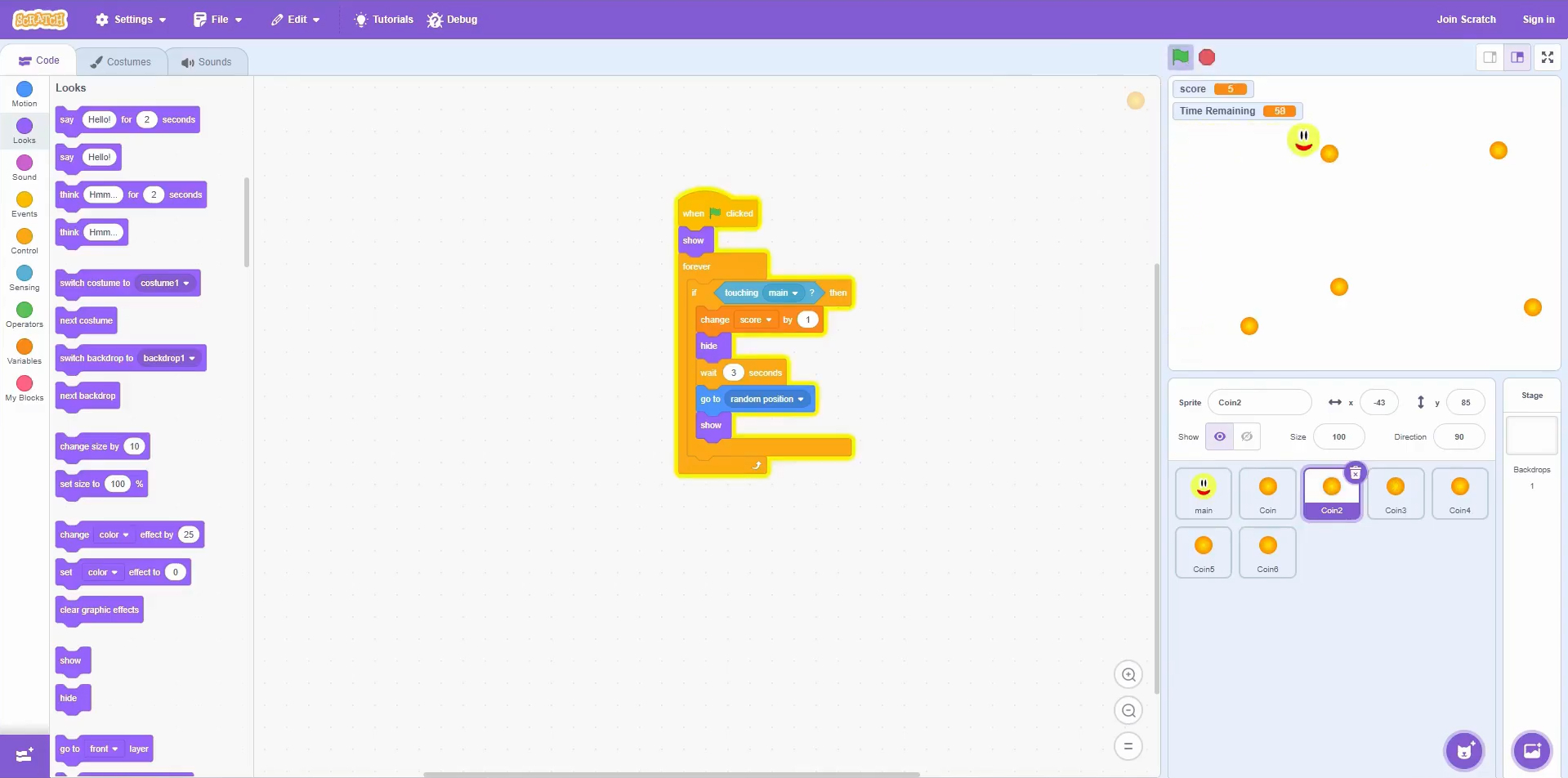
Code the Coin
- On Coin: when green flag clicked
- Looks → show
- Control → forever
- If touching Main: change score by 1
- Hide → wait 3 seconds → go to random position → show
Duplicate coins
- Right-click Coin → duplicate until you have about 6 coins.
- Spread them around the stage.
Quick check (it works if…)
- Touching a coin increases score by 1.
- Coin disappears, waits 3 seconds, then reappears somewhere else.
Extension:
- Make coins worth more: change score by 5 for a ‘gold coin’.
- Add a sound when collected.
Scratch tips for this stage:
- If score jumps loads at once, add hide immediately after scoring so it can’t score repeatedly while touching.
- Use go to random position after waiting so coins respawn elsewhere.
- Duplicate coins for a busier game, but don’t go too wild or it can feel messy.